


Thousands of photos will capture the memories from your wedding day, thanks to your professional photographer, as well as your family and friends. After your big day, you’ll have a curated album of gorgeous photos sent to you from your photographer, but what’s the best option for collecting wedding photos from guests? That depends on what is most convenient for you and your loved ones. We narrowed down how to have wedding guests upload pictures and the best ways to collect them.
Why Should You Collect Wedding Photos From Guests?
Photos from wedding guests help tell a complete story of your special day. Alongside images from your wedding pro, guest photos capture little glimpses throughout your celebration, from a mimosa selfie of your bridesmaids in the getting-ready suite to a tender moment on the dance floor between your grandparents. These photos add character to your wedding album and showcase your day through the eyes of your favorite people.
Wedding guest photos also include things your photographer might miss, either because they’re taking pictures elsewhere or because they were only contracted for part of the day. If you hired your photographer to take photos for just a few hours during your wedding, collecting wedding photos from guests is especially important to fill in any gaps (and is an alternative to hiring a wedding photographer for your whole day). This can include getting-ready photos and your end-of-the-night send-off.
The Best Way for Guests to Share Wedding Photos
Count on your guests taking tons of photos all night, from your first kiss as a married couple to silly candids at their guest tables. And you want to see all of their favorite pics. But how can wedding guests share their photos with you? Below are the most popular options.
Set Up a Guestlense Account
Guestlense is an easy and budget-friendly way for guests to share all of their memorable photos from your wedding day. Creating an account takes just a couple of minutes, and you can choose from three different plans to meet your needs and budget.
After scanning your custom QR code with their phone, family and friends can upload an unlimited number of high-resolution photos and videos from your wedding day to your private album. They don’t need to create an account or download an app; you just need an internet connection. Enjoy a variety of posed and candid photos from guests, complete with their own captions.
As the best way for guests to share wedding photos, Guestlense offers optional password protection, allowing only you and your guests to view your photos. Guests can also download images from your gallery, but only you, as the newlyweds, can delete media in your album.

Create a Google Photos Album
Couples can create a shared Google Photos album and provide the link to their guests. Guests can then add high-resolution photos to the album any time. The platform organizes photos and videos by date. Uploading pictures is easy, especially for Android users (it’s a little trickier for guests with an iPhone).
This method does require the couple and guests to have a Google account or download the Google Photos app. While this method is initially free, it’s easy to surpass the 15GB of storage allowed for each Google account if lots of guests are uploading photos and videos.
Private Facebook Group or IG Hashtag
Guests love sharing photos on social media, and even your grandparents probably have a Facebook account. Some couples create a private Facebook group to collect photos from their wedding guests. Only guests invited to the group can upload and see images shared by others.
Couples can also come up with a wedding hashtag and ask guests to upload photos to Instagram or Facebook along with their special hashtag in the caption. While we like this idea as an extra bit of personalization to your wedding day, guests have to remember to include your hashtag when posting pics.
Whether you go with a hashtag or a private group, these methods require guests to have a Facebook or Instagram account. While there’s no limit to how many photos guests can upload, you won’t be able to use any of them in your wedding album as is. That’s because photos uploaded to social media are compressed and are low-resolution. So, if you see any pics you love, you’ll still have to find another way to get a high-quality version from your loved one.
Your Wedding Website
Many couples create a wedding website for their big event. This is a great way to share important information with your guests about hotels, prewedding and postwedding events, dress code, and more. Some wedding website platforms also allow guests to share photos of your big day. However, guests may need to create an account before accessing your album. These platforms also often have limited storage.
Collecting Via Email or Text
While this method is free, it’s definitely the most complicated way for guests to share wedding photos. You can ask loved ones to send you their favorite photos via text and email, but you’ll also have to juggle all of those messages (while settling into your newly married life).
How to Collect Photos From Wedding Guests
Choosing a platform for guest photos might feel like the easy part when you think about how you’ll actually get guests to send you their pictures. There are several ways to encourage family and friends to take and share photos. Below are our top tips on how to get guest photos at a wedding.
Include Info on Your Wedding Website
Before guests even get to your wedding, let them know you want them to share any photos they take during your celebration. Include this information on your wedding website alongside other important details. This gives guests a heads up and lets them check out the platform you’re using ahead of time.
Place QR Codes Throughout the Venue
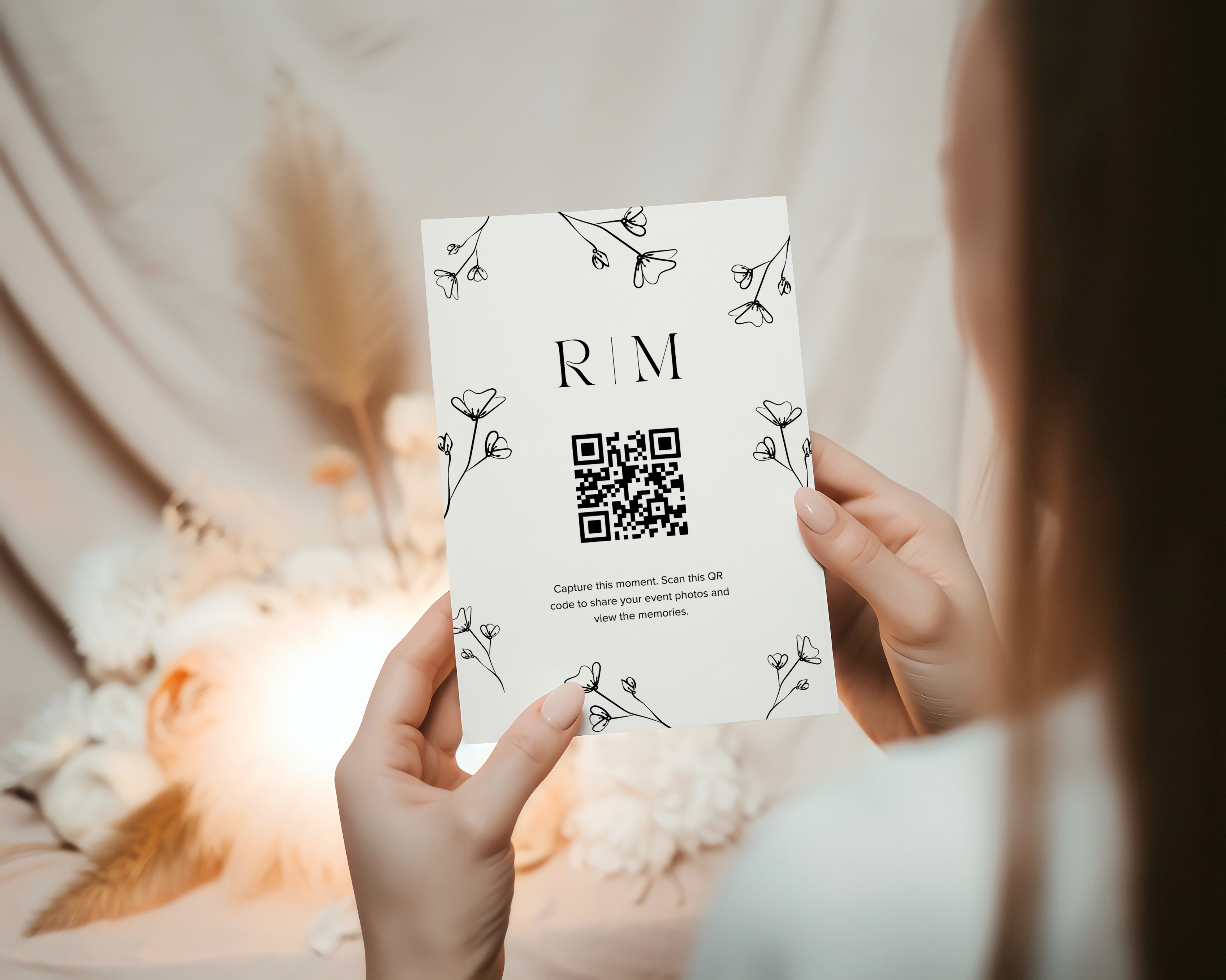
As you start wedding planning, you’ll realize how many paper products you need for your event (and we’re not just talking about invitations). Ceremony programs, signage, personalized napkins, menus, and place cards are just the start. Why not pull double-duty on your paper goods by including a QR code to collect wedding pictures?
With Guestlense, you get a special QR code (choose from more than 30 templates) that takes guests right to your wedding album. From there, they can easily upload all of the great photos and videos they took throughout the day. Include this QR code on your programs, beverage napkins, and signage throughout your venue to encourage guests to share photos. This is our favorite idea for how to have wedding guests upload photos.
Ask Your Emcee to Make an Announcement
A lot happens during a wedding, and sometimes, little details are missed. That’s where your emcee comes in. Have them make an announcement during cocktail hour and again later in the evening to remind guests about your online album and point out where to find your QR code.
Add a Reminder to Guest Favors
Are guests going home with a wedding favor? Include a tag with a short thank-you message, along with a link or QR code that guides guests to upload photos. When they open their bag of treats at home, they’ll have a sweet reminder to share their pictures.
Thank-You Cards
Include a QR code on your thank-you cards after your wedding. With Guestlense, your loved ones have up to three months to upload photos. If they haven’t already shared pictures, your thank-you card serves as another reminder. If guests have any fun prewedding or postwedding photos (from events like your wedding shower or farewell brunch), they can share those, too. While in your gallery, your friends and family can also view wedding photos from other guests and relive your day all over again.
Get Great Guest Photos With Guestlense
The easiest way to collect wedding photos from guests is by using Guestlense. For a small fee, get started by setting up your account with its own QR code today. Guests can easily upload media to your private album without creating an account or downloading an app. You’ll have access to a treasure trove of pictures from family and friends, all in one beautiful digital wedding album.
