


If you’ve used Google Drive before, you may be thinking about using it to collect wedding guest photos. It’s familiar, easy to share, and mostly free.
But when it comes to using Google Drive for wedding photos, there are a few things to know before you print QR codes or send links to guests. It can technically work, but it may not be the easiest or most polished option.
The tricky part usually isn’t sharing the link. It’s making sure guests can easily use it during your wedding.
Can You Use Google Drive for Wedding Photos?
Yes, you can use Google Drive for wedding photos.
The basic setup looks something like this:
- Create a Google Drive folder
- Adjust sharing permissions
- Copy the folder link
- Turn the link into a QR code
- Display the QR code at your wedding
So yes, it can be done. But Google Drive is still a general file storage tool. It was built to store, organize, and share files, not necessarily to collect wedding memories from guests during your reception.
And while sharing a folder link sounds simple, guests may still need to sign in to a Google account before they can upload photos and videos. That extra step makes all the difference when people are trying to quickly share photos from their phones and get back to the party.
Where Google Drive Works Well
Google Drive for wedding photos may work well if:
- You already use Google Drive
- You’re comfortable managing folders and permissions
- Most of your guests have Google accounts
- You only expect a small number of uploads
- You don’t care much about a custom wedding gallery
- You mainly want storage, not a full guest experience
If you just need a basic place for a few people to upload photos, Google Drive may be enough.
Where Google Drive for Wedding Photos Can Get Complicated
The part that matters most is what happens after guests scan the QR code. If someone has to sign in to a Google account, switch accounts, or even create one, there’s a good chance they’ll say they’ll do it later and never do.
You’ll need to make sure the folder permissions are set up correctly. It’s a good idea to test the upload process before the wedding day, because the last thing you want is for guests to scan a QR code and not be able to access it.
The upload page also won’t feel very wedding-specific. Guests may feel like they’re dropping photos into a random folder instead of adding memories to a wedding gallery. And when you’ve put so much thought into every detail of your wedding, a plain shared folder can feel a little out of place.
Storage is another thing to think about. Google accounts include 15 GB of storage shared across Drive, Gmail, and Google Photos. Wedding videos and full-resolution photos can add up quickly, so storage is worth checking before relying on Google Drive for the whole night.
Google Drive vs Guestlense for Wedding Photos
Google Drive can work, but Guestlense was made for weddings.
With Guestlense, guests can scan your QR code, select their photos and videos, preview each one, add an optional caption, and upload everything directly to your gallery. It’s quick, simple, and designed for guests to upload from their phones between moments of the party.
Setup
Google Drive requires more DIY work:
- Create a folder
- Adjust sharing permissions
- Copy the link
- Create a QR code separately
- Make sure guests can actually access and upload to the folder
Guestlense keeps the process simple:
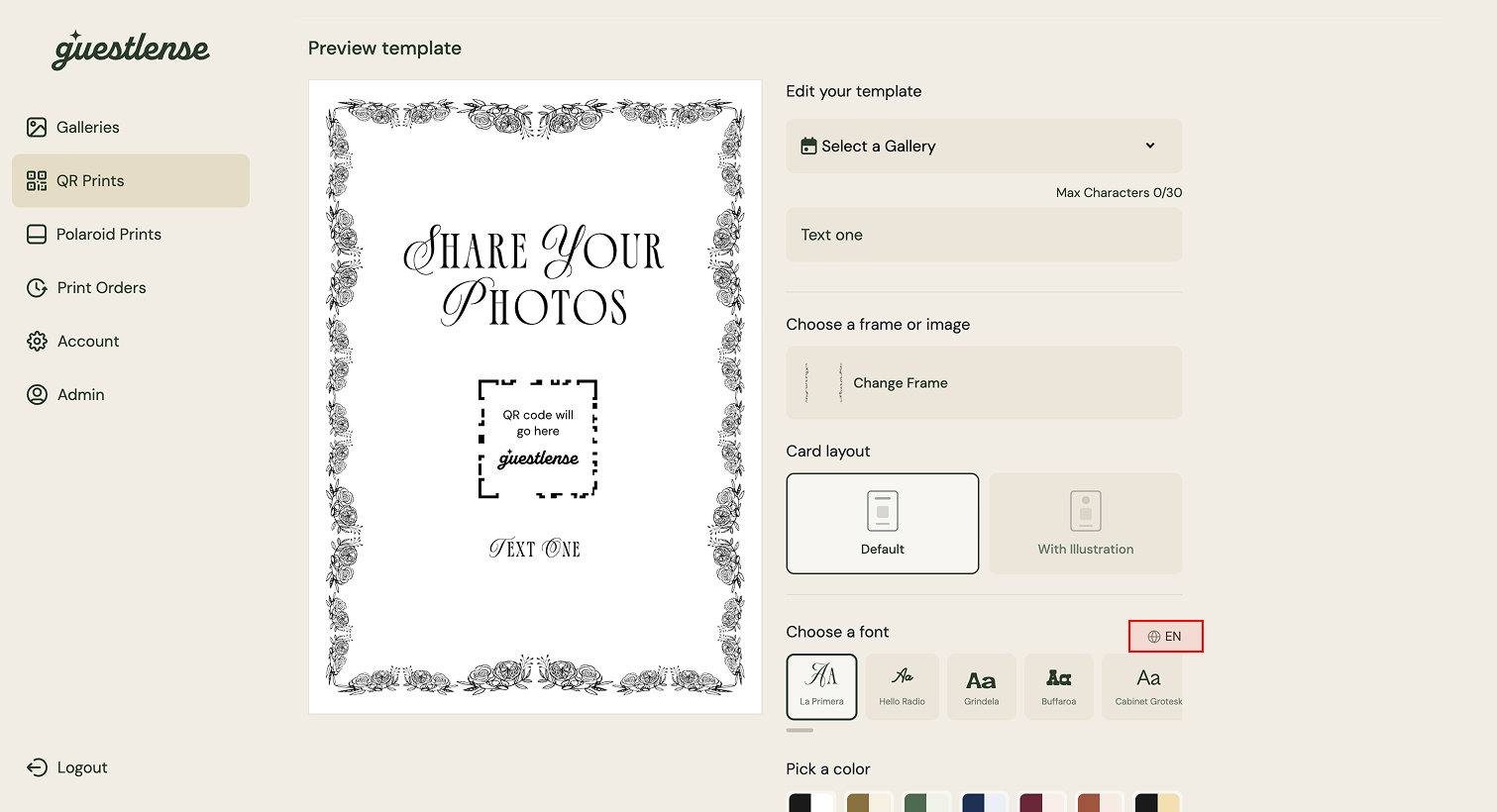
- Create your wedding gallery
- Get a custom QR code
- Customize your design
- Share it with guests
Guest Experience
Google Drive can feel familiar, but not always wedding-friendly:
- Guests may need to sign into a Google account to upload
- Permissions can be complicated
- The experience is not designed around quick reception uploads from a phone
Guestlense is built for quick guest participation:
- Guests scan and upload from their phones
- No app download
- No guest login
- Clear private gallery experience
- Easy photo and video uploads
Wedding-Specific Features
Google Drive is mainly file storage:
- Folders
- Sharing permissions
- Storage limits depending on account space
- Manual organization
- No wedding gallery built in
Guestlense is built for wedding memories:
- Private wedding gallery
- Custom QR code cards
- Photo and video uploads
- Digital guest book-style messages
- Live slideshow option
- Easy downloads after the wedding
Why Guestlense Is Easier Than Google Drive for Wedding Guests
When it comes to collecting photos, the most important thing is that it’s easy for guests.
If someone has to sign in, switch accounts, figure out permissions, or wonder if they’re uploading to the right place, there’s a good chance they’ll skip it and get back to the party. And honestly, that makes sense. Your guests are there to celebrate!
With Guestlense, the QR code and private gallery are already connected. Guests scan, upload, and move on. No app, no login, no separate QR code generator, and no confusing folder permissions.
You can still collect all the good stuff: cocktail hour photos, dance floor videos, table selfies, behind-the-scenes moments, and sweet messages from the people who were there celebrating with you.
Collect Wedding Photos With Guestlense
Google Drive can work for wedding photos, but it was built for storage. Guestlense was made for wedding guests.
Your guests are already taking photos and videos throughout the day. The key is giving them one easy place to send everything without making them sign into another account or figure out a shared folder.
Ready to collect wedding photos without making guests deal with Google Drive? Create your Guestlense gallery, customize your QR code, and start collecting every memory in one place.
FAQs About Google Drive for Wedding Photos
Can guests upload wedding photos to Google Drive?
Yes, but the setup depends on how the folder, link, and permissions are configured.
Is Google Drive good for wedding photo sharing?
It can work for basic storage, but it may not feel as easy or polished for wedding guests as a wedding-specific photo-sharing platform.
Can you make a QR code for Google Drive wedding photos?
Yes. You can create a Google Drive link and turn it into a QR code, but you’ll need to test the sharing and upload process before the wedding.
What is easier than Google Drive for wedding photos?
A wedding-specific tool like Guestlense gives couples a private gallery, custom QR code, guest photo and video uploads, and no-app sharing in one place.
