


Your guests are going to take tons of photos at your wedding. The table selfies, dance floor videos, cocktail hour pictures, blurry but hilarious candids. All the good stuff.
The frustrating part is actually getting those photos afterward.
You can text people one by one, hope they tag you on social media, or wait for photos they promised to send and then completely forgot. But collecting candid wedding photos from guests doesn’t have to be complicated. The key is making photo sharing easy before the wedding day ends.
Why Candid Wedding Photos From Guests Are Worth Collecting
Your professional photographer is obviously there to capture the big moments beautifully. The ceremony, portraits, family photos, reception details, and all the frame-worthy memories you’ll want forever.
But your guests capture a totally different side of the day.
While your photographer is with you during portraits, your friends might be taking cocktail hour selfies. While your photographer is capturing your first dance, someone at table seven might be recording your grandparents tearing up. While you’re talking to one group of guests, another group might be taking the funniest dance floor video of the night.
That’s what makes candid wedding photos so special. They show your wedding from your guests’ point of view, so you get to relive moments you may not have even known were happening.
Why It’s So Hard to Get Photos After the Wedding
After the wedding, photos get buried in camera rolls. Group texts get chaotic. Instagram tags only show what people decide to post. And if someone says, “I’ll send these to you later,” there’s a good chance those photos are never leaving their phone.
That’s why the easiest way to get more candid wedding photos is to make sharing part of the day itself. Not something you have to chase down weeks later.
Give Guests One Easy Place to Upload Photos
The best way to collect guest photos is to give everyone one clear place to upload them. When you give guests too many options, things get messy fast. And before you know it, your wedding photos are scattered across group chats, camera rolls, and Instagram.
Guests are much more likely to share when the process is easy and obvious. With Guestlense, you can create a private gallery where guests can upload photos and videos right from their phones. No app to download, no account to create, and no confusing folder permissions to figure out.
They scan, upload, and get right back to celebrating.
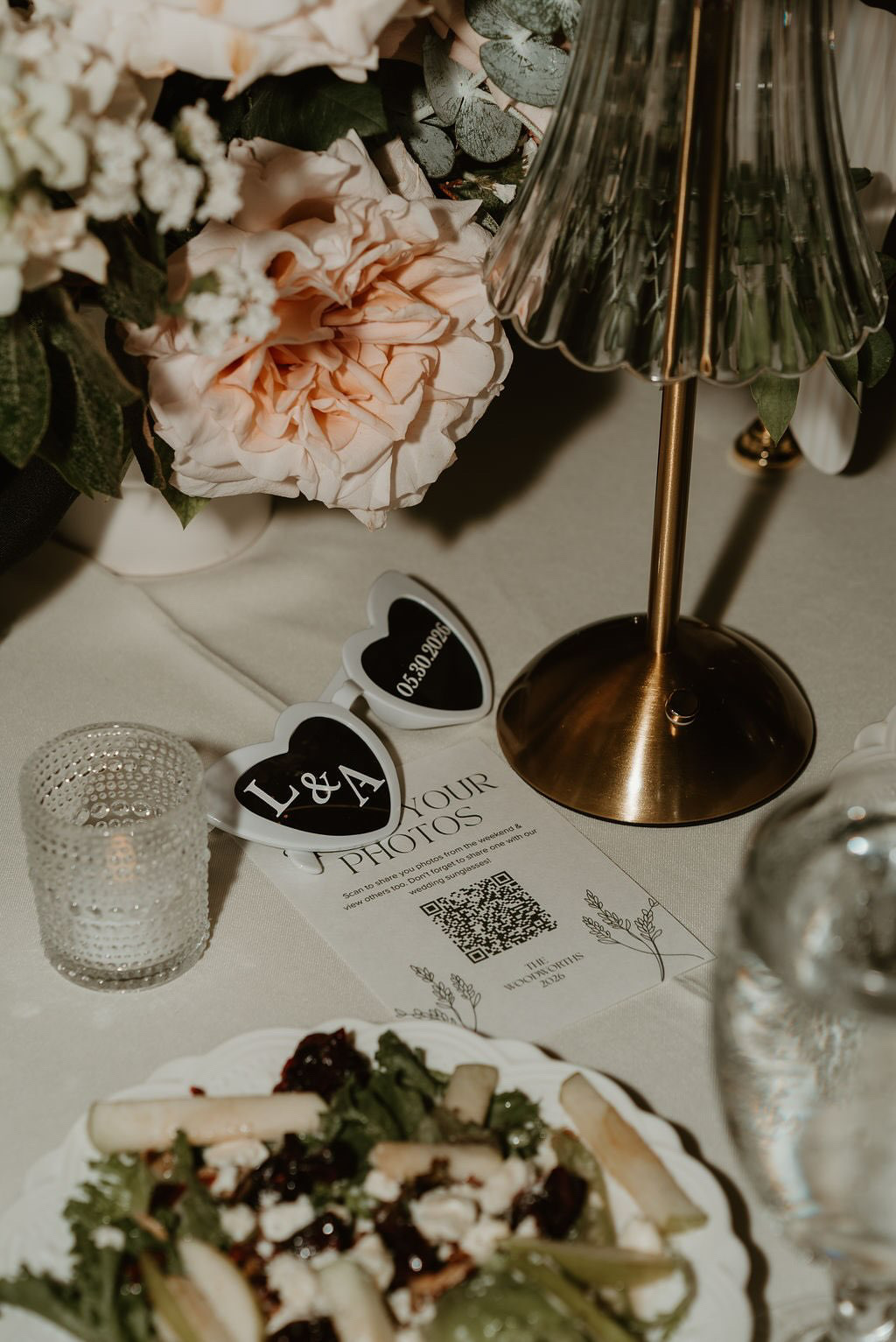
Use a QR Code Guests Can Scan in Seconds
A QR code makes photo sharing easy because guests already know what to do. They scan the code with their phone and go straight to the upload page.
You can customize your QR code to match your wedding style and display it in places guests will naturally see throughout the day, like:
- Reception tables
- Welcome signs
- The bar
- Guest book table
- Photo booth or lounge area
The goal is not to make guests hunt for it. Keep it visible, simple, and easy to scan.
You can find creative ways to display wedding QR codes for guest photos here.
What to Say So Guests Actually Share Their Photos
Sometimes guests just need a little direction. A short sentence on your QR code sign and a quick DJ announcement are usually enough to encourage guests to share their candid wedding photos.
The best wording tells guests exactly what to do and makes it feel fun:
Simple Sign Wording
- “Scan to share your photos and videos with us.”
- “Help us see the wedding through your eyes.”
- “Upload your favorite moments from tonight.”
Fun Sign Wording
- “Drop your camera roll here.”
- “Caught a good one? Send it our way.”
- “Don’t let the dance floor videos disappear.”
DJ Announcement Example
- “The couple would love to see the night from your point of view. Scan the QR code on your table to upload your favorite photos and videos!”
That little reminder can make a big difference, especially once guests have started taking photos but may not realize you actually want them shared.
Should You Use Google Drive or Dropbox for Wedding Guest Photos?
Google Drive and Dropbox can technically work for collecting wedding guest photos. If you already know how you want to organize everything and don’t mind handling the setup, it can be a simple option. But for weddings, it can get a little clunky.
Guests may need to log in, upload permissions can be confusing, and a shared folder doesn’t always feel very polished. And honestly, your wedding deserves something that feels a little more intentional than a random shared folder.
With Guestlense, your QR code and private gallery are already connected in one place. Guests don’t need an app or login, and you can customize the design so it actually fits your wedding. It feels like part of the experience instead of a workaround.

Collect Your Candid Wedding Photos With Guestlense
Your guests are already taking photos. You just need to make it easy for them to share them!
Guestlense helps you collect candid wedding photos and videos without texting everyone after the wedding or digging through social media. You can create a private gallery, share your custom QR code with guests, and start collecting the moments you would have missed.
So instead of waiting around for photos that may never get sent, you can start your honeymoon by reliving the best candid moments from your favorite people.
Ready to make it easy? Create your Guestlense gallery, share your QR code, and let your guests take it from there.
