


You can put a QR code on the prettiest card in the world, but if guests don’t know what it’s for, there’s a good chance they’ll walk right past it.
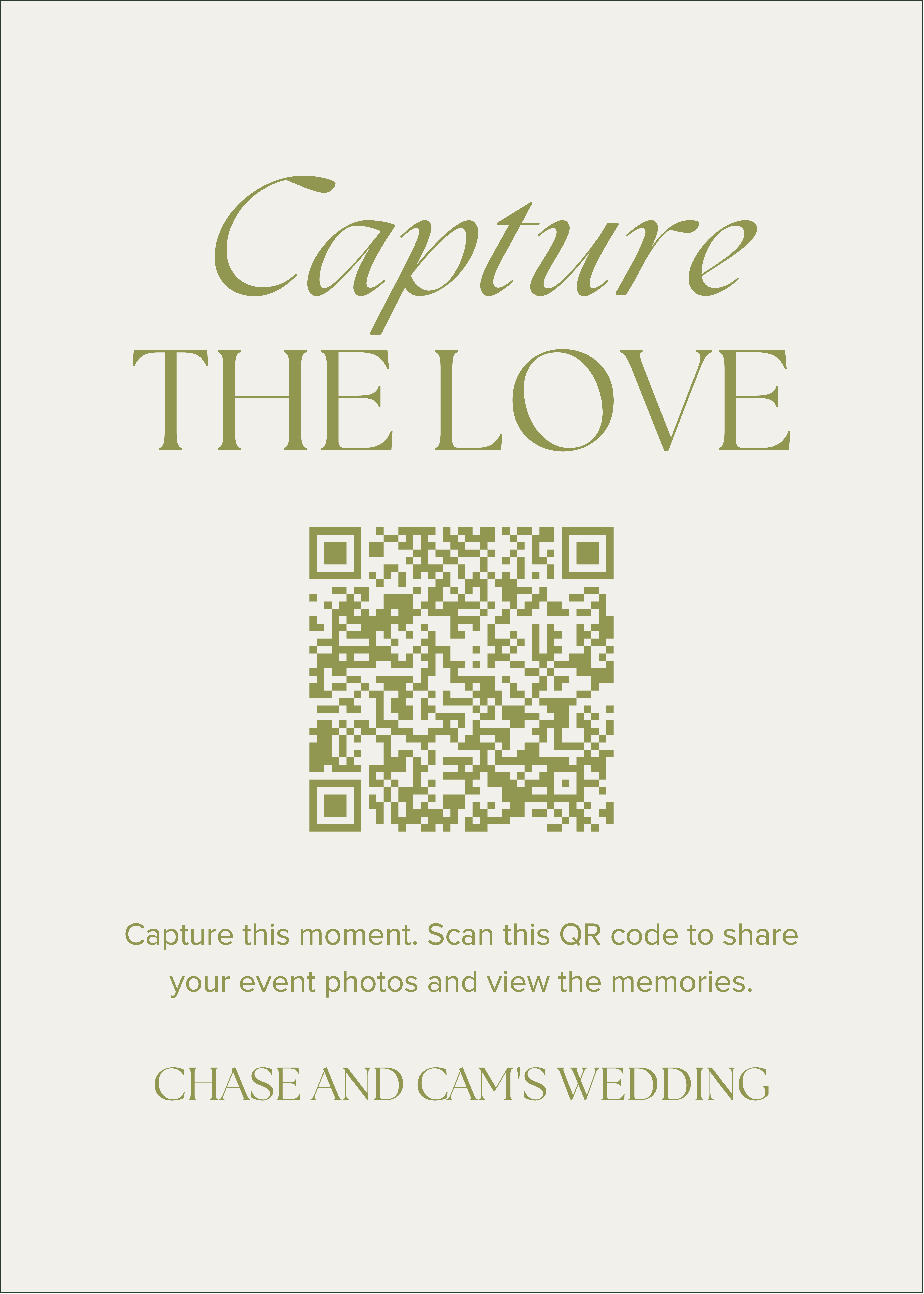
Wedding QR code cards for guest photos should do more than look good. They need to make it obvious that you want the photos and videos already filling everyone’s camera rolls.
So, what should you actually put on them? We’re covering what your card needs, wording ideas that don’t feel cheesy, and a few mistakes to avoid before you hit print.
What Are Wedding QR Code Cards for Guest Photos?
Wedding QR code cards are an easy way to collect photos and videos from guests throughout your wedding. For guest photo sharing, the code should lead straight to a gallery where everyone can quickly upload from their phones.
With Guestlense, guests scan the code, choose the photos or videos they want to share, and add them to your private gallery. No app or guest account needed.
What to Include on Your Wedding QR Code Cards
1. A Clear Reason to Scan
The most important thing to include is a reason to scan.
If you put a QR code on the card with no context, guests won’t know if it leads to your wedding website, menu, registry, or something else entirely. Tell them right away that you want their photos and videos.
Even something as simple as “Share your photos and videos with us!” gets the point across.
2. One Simple Instruction
Once guests know why they should scan, tell them what to do next. This doesn’t need to be a paragraph.
“Scan the QR code and upload your favorite photos and videos.”
That’s really all they need. The less there is to figure out, the more likely they are to actually do it.
3. A QR Code That’s Easy to Scan
This one sounds obvious, but a cute card doesn’t do much good if the QR code takes five tries to scan.
Make sure the code is large enough, has plenty of space around it, and has enough contrast with the background. Before you order a stack of cards, print one at the actual size and test it from your phone.
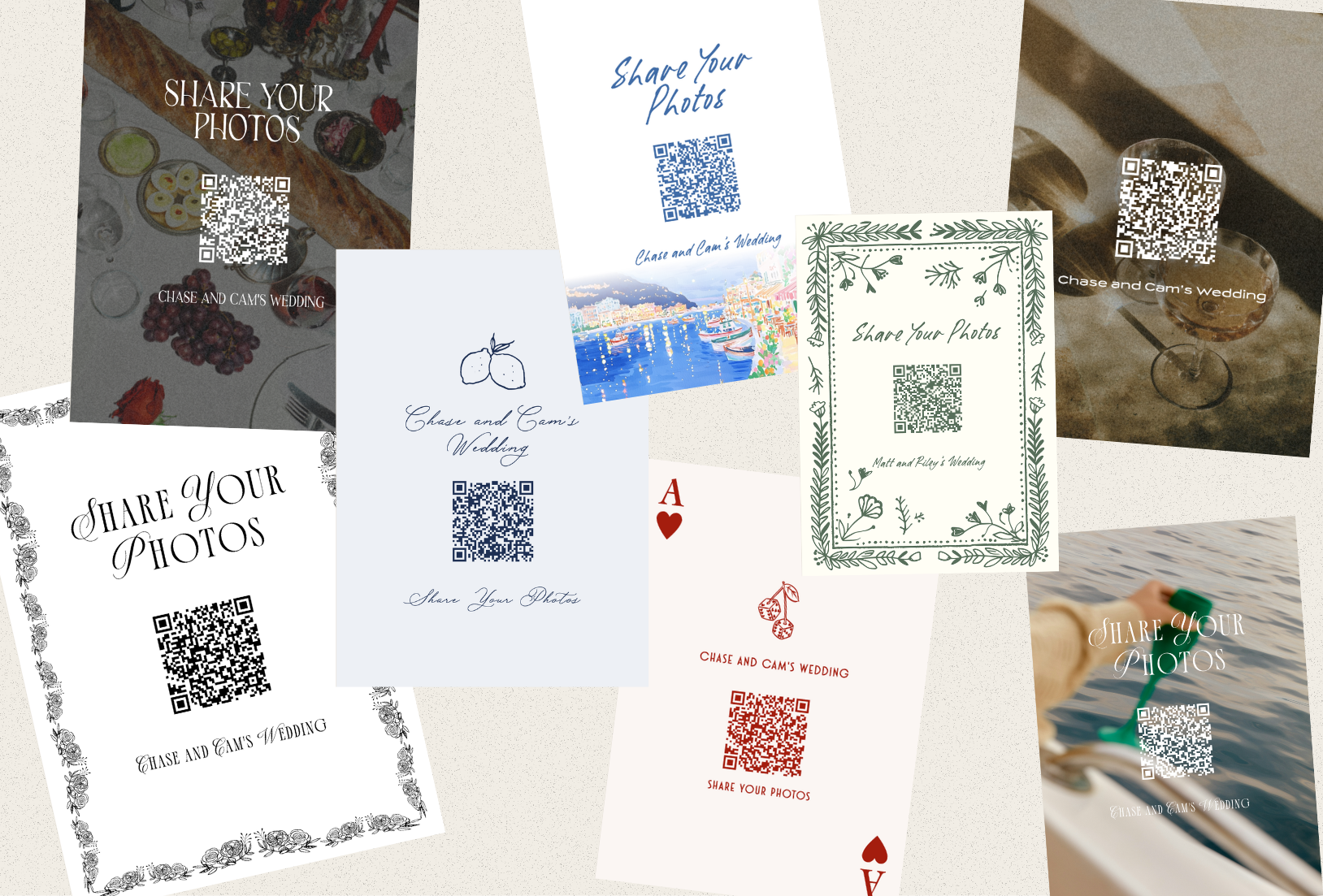
If you’re using Guestlense, you don’t have to start your card design from scratch. You’ll have 30+ QR code templates to choose from, with options to customize and print for your wedding.
4. A Little Personality
You put a lot of thought into how your wedding looks, so your QR code cards shouldn’t feel like a random piece of paper dropped onto the table.
Choose wording, fonts, and colors that fit the rest of your wedding. A simple black-and-white design might be perfect for one couple, while another wants something colorful and playful. The important thing is that the card feels like it belongs with everything else you’ve planned.
Wedding QR Code Card Wording Ideas
The wording on your wedding QR code cards can be as straightforward or fun as you want. Just make sure guests can tell what you’re asking them to do without having to think too hard about it.
Simple + Straightforward
- Scan + share the photos and videos you take tonight!
- Add your favorite moments to our wedding gallery.
- Take a pic? Send it our way!
Fun + Playful
- Your camera roll has receipts. We want them.
- Caught us on the dance floor? We need to see it.
- Don’t let the good ones die in your camera roll.
- Spotted a moment we missed? Drop it here!
Sweet + Sentimental
- Help us remember the day through your eyes.
- Share the little moments we may have missed.
- Add your favorite memory from our day.
Should You Put Wedding QR Code Cards on Every Table?
You don’t necessarily need a card on every table, but you definitely don’t want to rely on one QR code tucked away somewhere guests might miss.
Reception tables work well because guests have time to notice the card while they’re sitting down. You can also place a few around other high-traffic areas like the bar and photo booth so people see the QR code more than once throughout the night.
If you’re deciding where yours should go, check out these creative ways to display wedding QR codes for photos.
Don’t Forget to Tell Guests You Want Their Photos
Even a great QR code card can blend into everything else happening at a wedding. A quick reminder can go a long way.
You don’t need to make a five-minute announcement about it. Ask your DJ or emcee to mention the QR code once during the reception and let everyone know you’d love to see the night from their point of view.
You could also add a fun photo prompt to the card to get guests involved. Ask everyone to get a table selfie, catch the funniest dance move, or upload a moment they think you might have missed.
The goal isn’t to give your guests homework. You’re just reminding them that, yes, you actually want those pictures sitting in their camera roll.
Common Wedding QR Code Card Mistakes
Before you print your cards, double-check that you’re not making one of these easy mistakes:
- Adding a QR code with no explanation
- Making the code too small to scan easily
- Using colors without enough contrast
- Cramming too much information onto the card
- Sending guests somewhere that requires an app or account
- Forgetting to test the printed card
- Putting your QR code in one spot that’s easy to miss
Basically, anything that makes guests stop and figure out what to do is working against you. Keep the card easy to understand and even easier to use.
How to Create Wedding QR Code Cards With Guestlense
Guestlense keeps the setup pretty simple.
- Create your wedding gallery.
- Choose one of the QR code templates and customize it to your wedding.
- Add wording that tells guests exactly what you want them to share.
- Download your design for printing or choose a Guestlense package with printed QR cards.
- Scan a finished card yourself before the wedding just to make sure everything works.
Make Your Wedding QR Code Cards Worth Scanning
Your guests are already filling their camera rolls throughout the night. Some of those pictures will make you laugh, and others might show you a moment you had no idea was happening.
Your wedding QR code cards just need to make it obvious where to send them.
With Guestlense, you can create a private wedding gallery, customize your QR code cards, and give everyone one easy place to share the photos and videos they take. Create your Guestlense gallery here and start collecting the moments you might otherwise miss.
